
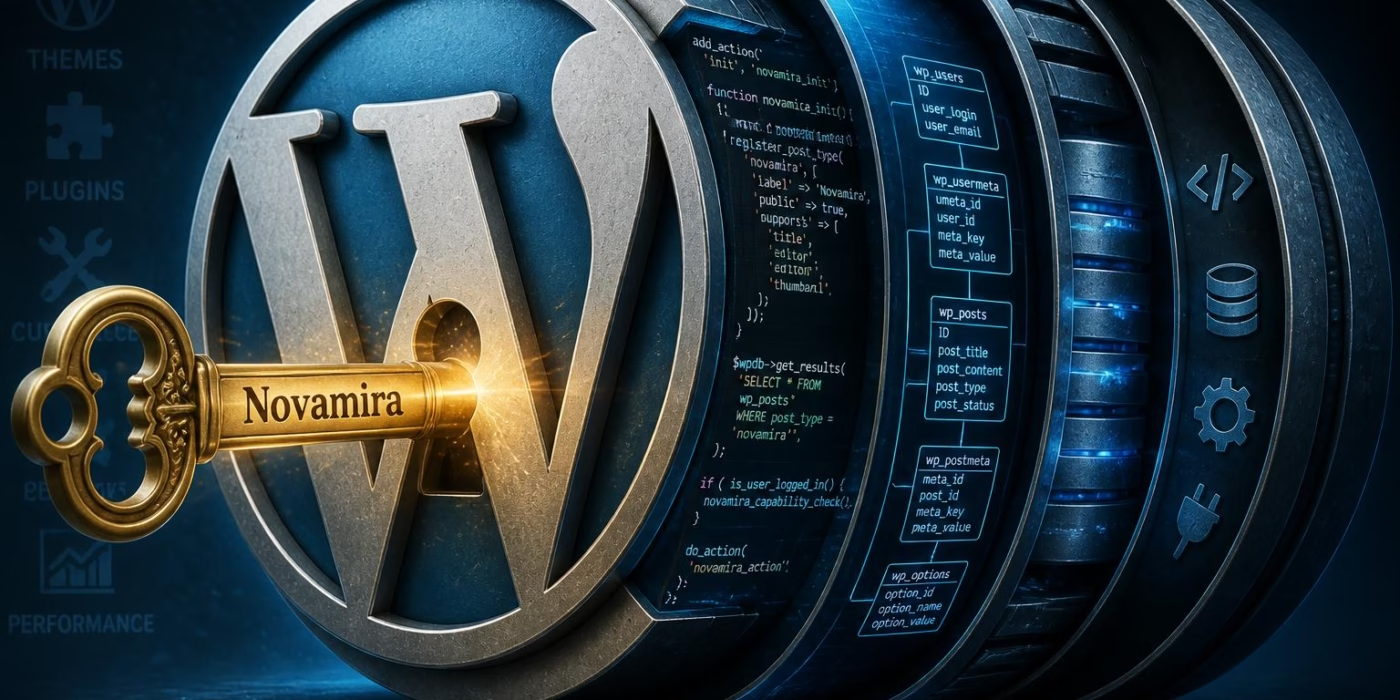
Traditional AI tools for WordPress often act like a driver who can see the road but cannot touch the steering wheel. While programs like ChatGPT or Claude can suggest code snippets, they generally lack any real-world connection to a live website. These tools cannot see which plugins are active, they do not understand the specific layout of a database, and they cannot verify if the code they write actually works. This gap forces people to copy and paste code back and forth, often leading to errors that break the site. Novamira AI changes this dynamic by giving AI agents direct access to the WordPress environment.
A typical AI assistant relies on a limited set of instructions called an API. These are like narrow windows that only let the AI see specific parts of a house. Novamira uses something called the Model Context Protocol (MCP).
Think of this as a master key that lets the AI walk through every room. It runs inside the PHP runtime, which is the "engine" that powers WordPress.
Because it sits inside the engine, the AI can see everything from WooCommerce orders to custom field structures created by plugins like ACF. It no longer has to guess how a site is built; it can simply look and see for itself.
Pro tip: Novamira is designed for development and staging sites where users can test big changes safely before moving them to a live, public website.
The system works by turning a WordPress site into a smart server that talks directly to AI clients like Cursor or Claude Code. Instead of just talking about code, the AI can now execute PHP, read files, and even run bulk commands to update thousands of products at once. This level of integration is a significant jump over older methods.
It moves the technology from a simple "chat box" to a functional digital coworker that handles the heavy lifting of site management. This article explores how this tool functions and why it represents a shift in how websites are built.
|
Feature |
Standard AI Tools |
Novamira AI |
|---|---|---|
|
System Access |
Limited API window |
Full PHP runtime access |
|
Site Visibility |
Blind to active plugins |
Automatic plugin discovery |
|
Execution |
Suggests code only |
Runs and tests code live |
|
Database |
No direct connection |
Direct query capability |
The following sections break down the technical setup and the daily benefits for users. Readers will learn how the "Project Memory" feature helps teams stay organized and how the Pro version offers specialized knowledge for over 20 popular page builders. Whether the goal is to fix a bug or build a custom store from scratch, the focus remains on making the process faster and more accurate through deep technical integration.
Why Current AI Fails WordPress Developers
Traditional artificial intelligence tools often struggle to bridge the gap between generating static code and interacting with a live WordPress environment. Many developers find that while an AI can suggest a function, it remains blind to the specific active plugins, database structures, and custom field configurations that define a unique site. This disconnect frequently leads to generic solutions that fail to account for the actual runtime context of the project.
The following analysis examines the fundamental barriers preventing standard AI agents from accessing WordPress internals and introduces a specialized solution designed to overcome these hurdles. Readers will discover how a direct connection to the PHP runtime transforms the development workflow by allowing tools to see and act upon the site as it truly exists.
The Problem with Current AI Tools for WordPress

Standard AI tools fail to solve complex WordPress problems because they cannot "see" what is actually happening inside a site's live environment. While a modern chatbot can write a snippet of code, it functions like a mechanic trying to fix an engine through a blurry photograph. It might know how a generic engine works, but it has no idea if this specific one has a custom turbocharger or a leaking gasket.
The core of this issue lies in the runtime environment. Most AI assistants today live entirely outside of the server where WordPress is running. They rely on static knowledge or limited, fragile connections that only scratch the surface of a site's true configuration. This disconnection creates a massive gap between a "suggested" fix and a "working" solution.
Blindness to Site Architecture
Traditional AI lacks visibility into the unique DNA of a WordPress installation. When a developer asks for a custom feature, the AI often hallucinates or makes assumptions that lead to critical errors. Without a direct link to the server, the AI is essentially guessing about the following elements:
- Active Plugins: It doesn't know if a site is running WooCommerce, Yoast SEO, or Gravity Forms, leading to code conflicts with existing features.
- ACF Field Structures: AI cannot see the specific names or types of fields created with Advanced Custom Fields, making it impossible to accurately display data.
- Custom Post Types: The assistant has no way of knowing how a developer has organized content like "Portfolio" items or "Testimonials" in the database.
- WooCommerce Data: Real-time information like specific order statuses or product attributes remains completely hidden from the AI's view.
The Fragility of Custom Connectors
In an attempt to bridge this gap, some developers use custom connectors or specialized APIs to feed data to their AI. However, these solutions are often fragile and high-maintenance. They frequently break when a plugin updates or when the WordPress core version changes, requiring constant manual babysitting to keep the "link" alive.
Pro tip: Relying on an AI that only sees your code files is dangerous. Without database context, an AI might suggest deleting a table it thinks is "unused," potentially wiping out thousands of WooCommerce orders or custom settings.
Furthermore, these standard integrations are usually restricted by the REST API. This means the AI can only perform a small set of pre-approved actions. If a task requires something outside those narrow boundaries-like running a bulk WP-CLI command to regenerate thumbnails or querying a non-standard database table-the AI simply hits a wall. It can talk about the problem, but it cannot actually do the work.
This limitation forces developers into a tedious "copy-paste" loop. They must manually describe their site setup to the AI, copy the suggested code, test it, find the error, and report it back. This manual overhead often consumes the very time the AI was supposed to save. The industry has reached a ceiling where AI can be a writer, but it cannot yet be a collaborator that understands the ground reality of the server.
The frustration of teaching an AI the same site structure over and over again highlights a massive technical deficiency. If the AI cannot inhabit the same space as the PHP code it is trying to write, it will always be an outsider looking in through a locked window. This fundamental disconnect raises a vital question: what would happen if the AI didn't just talk to WordPress, but actually lived inside it?
What Is Novamira?
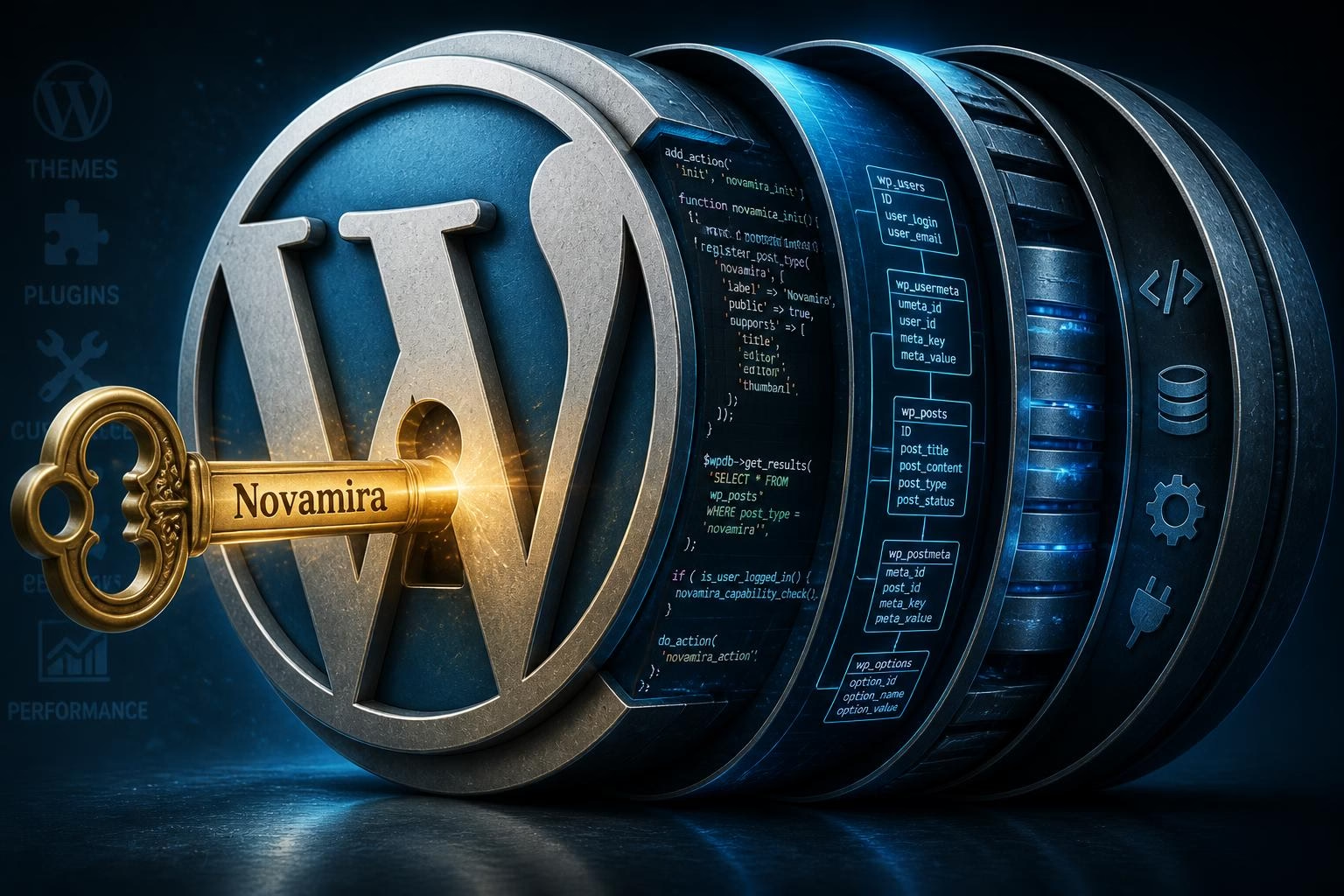
Novamira is a free, open-source WordPress plugin that transforms your site into a "server" that AI agents can talk to directly. While other tools act as external observers, this software functions as a Model Context Protocol (MCP) server that lives inside the code of your website. It bridges the gap between your local AI client-like Claude Code, Cursor, or VS Code Copilot-and the actual engine that runs your pages.
The fundamental shift here is where the logic happens. Instead of sending a request to a limited door like the standard WordPress REST API, Novamira operates within the PHP runtime itself. This means the AI isn't just looking at your site from the outside; it is effectively "logged in" to the server with the same level of control as a lead developer.
A Direct Line to the WordPress Heart
Most AI integrations are restricted to what a specific API allows them to see, which is often just posts or basic settings. Novamira removes these blinders by granting the AI native access to the WordPress core, your entire database, and the filesystem. It can see every file in your wp-content folder and every row in your SQL tables.
This deep integration allows for automatic discovery of your site's unique DNA. When an AI agent connects via Novamira, it immediately scans for active plugins. It identifies that you are running WooCommerce, Advanced Custom Fields (ACF), or Yoast SEO without you having to explain your setup. It understands your custom post types and specific database structures because it is physically standing inside the environment where they exist.
Key Takeaway: Because Novamira runs in the PHP runtime, it can execute complex logic and "learn" your site's specific coding conventions, allowing it to solve problems that API-based tools simply cannot see.
How It Differs from Standard Tools
The technical architecture of Novamira is built for depth rather than just surface-level convenience. By using a single connection, it supports your entire WordPress stack. There is no need to install separate "connectors" for every different plugin you use. If a piece of software is accessible via PHP on your server, Novamira makes it accessible to your AI agent.
|
Feature |
Standard AI Tools |
Novamira AI |
|---|---|---|
|
Connection Method |
Restricted REST APIs |
Direct PHP Runtime |
|
Plugin Visibility |
Manual declaration needed |
Automatic discovery |
|
File Access |
Usually none |
Full Read/Write/Edit |
|
Database Control |
Metadata only |
Direct SQL querying |
This setup is particularly effective for prototyping. A developer can ask the AI to test a specific PHP snippet on the live runtime to see if it works before committing it to the theme. It is a level of real-time interaction that turns the AI from a simple chat box into a functional member of the development team.
Security is handled through WordPress Application Passwords over a secure HTTPS connection. While it provides immense power, the creators at Dynamic.ooo designed it specifically for staging and development environments. It ensures that the AI has the "keys to the kingdom" only when and where it is safe to have them, providing a controlled space for high-level automation.
Inside Novamira's AI Brain
Modern WordPress automation often hits a wall because standard AI tools cannot interact with the live PHP environment. Novamira removes these barriers by granting AI agents direct access to the site's runtime, database, and filesystem through a series of primitive operations. This approach allows the agent to observe active plugins and custom field structures in real time rather than guessing based on static code files.
The following analysis details the mechanics of this dynamic interaction and the essential safety protocols required when granting an AI such deep system permissions. Readers will discover how the system adapts to unique site configurations and what security measures, such as sandboxing and authentication, protect the integrity of the development environment during these automated workflows.
How Novamira Works
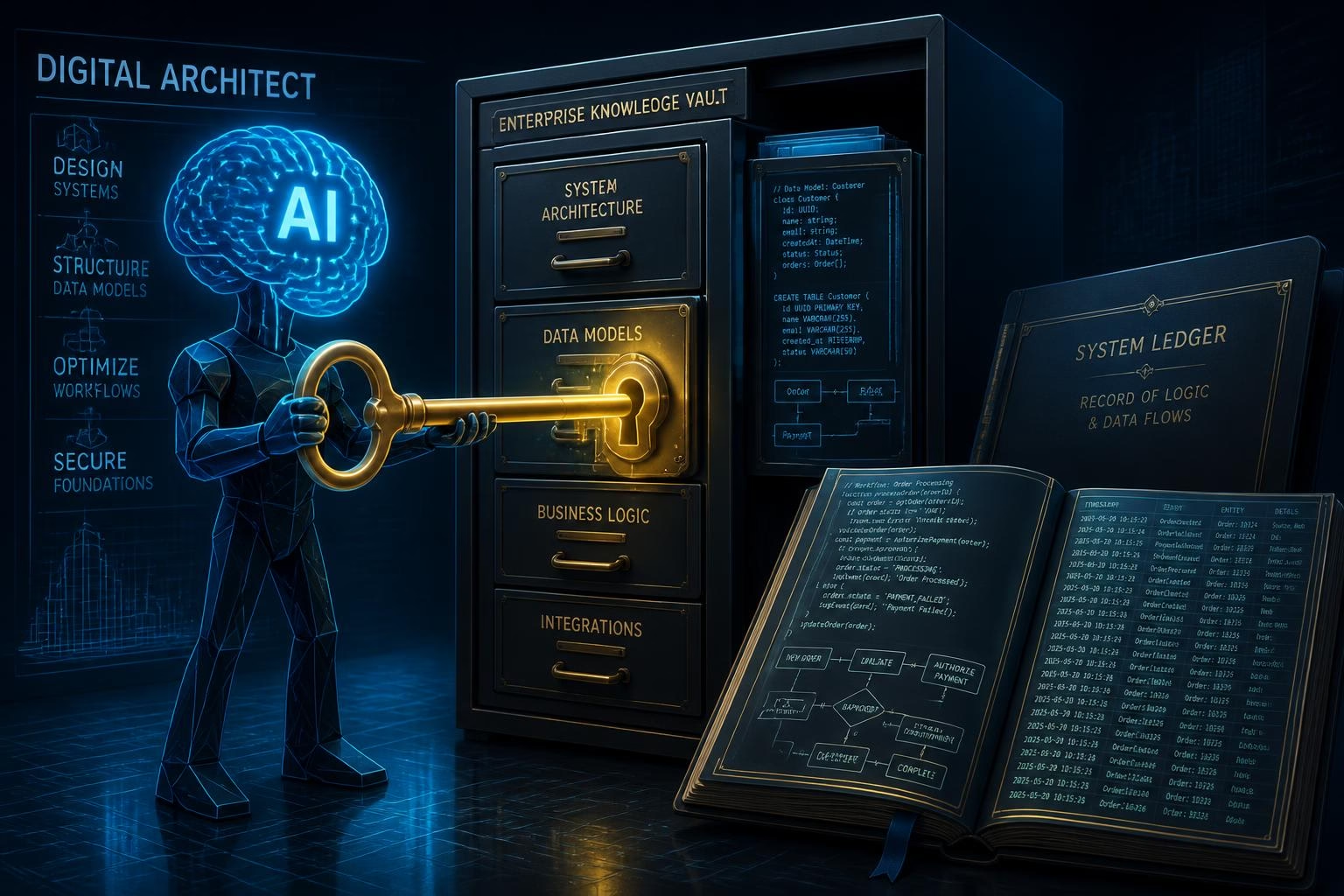
The effectiveness of Novamira stems from its ability to strip away the rigid menus of typical plugins and replace them with five fundamental building blocks. Instead of giving an AI a "Create Post" button, this tool provides the raw materials required to build that post from scratch. This shift moves the AI from being a simple user of the site to acting as a digital architect that understands the underlying structure.
By operating as a bridge, Novamira translates the high-level requests of a developer into low-level actions that the server can execute. I have found that most AI tools struggle because they are essentially shouting instructions from outside a locked building. Novamira places the AI inside the room, handing it the keys to the file cabinet and the ledger.
The Five Primitive Operations
To understand the "brain" of this system, one must look at the specific primitive operations it exposes. These are the basic actions an AI agent can perform to interact with the WordPress environment. Because these are low-level commands, the AI can combine them in infinite ways to solve unique problems.
- Execute PHP code: This is the most powerful ability, allowing the AI to run logic directly within the active site process to query databases or trigger functions.
- Read files: The agent can open any file in the WordPress directory to study how a specific theme or plugin was written.
- Write and edit files: This allows the AI to actually perform the work, such as creating a new template or fixing a bug in a functions.php file.
- Explore filesystem: The AI can browse folders to map out where assets, plugins, and configuration files are located.
- WP-CLI integration: By accessing the command line, the agent can perform bulk tasks like updating the database or regenerating image thumbnails.
Context-Aware Adaptation vs. Rigid Commands
Traditional software relies on "if-this-then-that" logic, which often breaks when a site uses a unique combination of plugins. Novamira ignores this rigid path. Because it can explore the filesystem and read existing code, the AI agent performs a "discovery" phase the moment it connects. It doesn't need to be told that a site uses a specific layout tool; it simply sees the files and adapts its strategy accordingly.
This creates a dynamic workflow where the AI composes its own instructions in real-time. For example, if a developer asks to "fix the checkout layout," the AI first explores the active theme, reads the relevant template files, and then executes PHP to test a solution. This level of site-specific intelligence is what separates a generic chat bot from a specialized development assistant.
Pro tip: Treat the AI as a junior developer with full server access. It is incredibly fast, but its ability to write and execute code means it can also make mistakes at the speed of light if not monitored.
The system also includes a "saving" mechanism. When the AI finds a solution that works, it can store that logic in a dedicated sandbox directory. This allows the agent to learn from its own successes, building a library of site-specific knowledge that it can reuse in future sessions. It effectively builds a custom manual for your specific website as it works.
While this direct access solves the problem of "AI blindness," it also introduces a significant amount of power into the hands of an automated agent. Granting a tool the ability to execute PHP and edit files creates a environment where a single misunderstood prompt could lead to a site-wide crash. This raw capability makes the underlying safety protocols and authentication methods the most vital part of the entire setup.
Security and Usage Considerations
The decision to grant an AI direct server access requires a strict "development-only" mindset to prevent catastrophic site failures. Because Novamira operates within the PHP runtime, it possesses the same authority as a lead developer with a code editor and a database terminal. This level of power is what makes the tool revolutionary, but it also means the safety rails are as much about user discipline as they are about software engineering.
Security starts with a closed door: Novamira is disabled by default. An administrator must manually toggle the plugin's capabilities within the WordPress dashboard before any AI agent can knock. This prevents accidental exposure and ensures that the site owner is making a conscious choice to permit external logic to interact with the server's core functions.
Built-In Safety Guardrails
Engineers at Dynamic.ooo integrated several automated failsafes to handle the unpredictable nature of AI-generated code. Since the AI might attempt a complex calculation that could hang the server, the system enforces a strict 30-second time limit on executions. If a process exceeds this window, a kill switch triggers automatically to prevent the server from crashing or exhausting its memory resources.
File management is handled with similar caution through sandboxed file writes. Rather than allowing an AI to blindly overwrite wp-config.php or sensitive core files, Novamira utilizes a protected environment. If a code change causes a critical error, the system is designed with crash recovery protocols to help stabilize the environment, though it is not a substitute for standard server management.
Pro Tip: Always verify that your .htaccess or Nginx config blocks direct access to the Novamira sandbox folder to ensure AI-generated snippets aren't publicly accessible via a URL.
Authentication and Connection Standards
Connecting an AI client like Claude Code or Cursor requires a secure handshake. Novamira mandates the use of WordPress Application Passwords, which are distinct from your primary admin password. This allows users to revoke access instantly without changing their main login credentials. Furthermore, these connections must occur over HTTPS to encrypt the data stream between the AI agent and the WordPress site.
To maintain a secure workflow, developers should follow this pre-flight checklist before enabling the plugin:
- Confirm the site is a staging or development environment (never use on live production).
- Run a full database and filesystem backup immediately before the session.
- Generate a unique Application Password specifically for the AI client.
- Ensure WP_DEBUG is enabled to monitor the AI's background operations in real-time.
Environment Restrictions
The thesis of Novamira is to streamline development, not to act as a permanent site feature. It is explicitly intended for local or staging environments where a developer can supervise the AI's "discovery" and "prototyping" phases. Using this tool on a live production site with active traffic is highly discouraged because even a minor logic error in a PHP snippet could result in downtime for real customers.
By treating the AI as a powerful but unvetted junior developer, users can harness the tool's ability to navigate complex ACF structures or WooCommerce hooks without risking the integrity of their primary business assets. This controlled approach grounds the AI's high-level capabilities in a framework of professional accountability. This ensures that the transition from a natural language request to a functional server action remains predictable and, most importantly, reversible.
Novamira's Core Strengths
Novamira transforms the standard WordPress development workflow by granting AI agents direct access to the system's PHP runtime. This deep integration allows the software to move beyond simple code suggestions, enabling it to actively analyze site configurations and execute complex tasks within a live environment. By understanding these core capabilities, users can better appreciate how the tool bridge the gap between static AI responses and functional, real-world site management.
The following details examine the specific features that empower this automation, from initial site discovery to the creation of persistent, reusable solutions. Readers will also find information regarding technical compatibility, ensuring they can verify if their current hosting environment and AI clients meet the necessary requirements for a seamless connection.
Eighty percent of development time is often lost to manual environment auditing, a hurdle Novamira clears by granting AI agents the ability to perceive a site's internal architecture instantly. While standard tools treat WordPress like a locked box, this plugin provides the "eyes" and "hands" necessary for an agent to operate within the live environment. It transforms the AI from a simple text generator into an active participant in the development lifecycle.
Core Capabilities for Intelligent Automation
The system relies on four primary pillars to bridge the gap between abstract code suggestions and functional site updates. These features work in tandem to ensure that an AI agent doesn't just guess what a site needs but actually verifies the state of the PHP runtime before suggesting a single line of code.
1. Site Discovery and Auditing
The Discovery feature allows the AI to perform a comprehensive scan of the active WordPress ecosystem. It identifies installed plugins like WooCommerce or Advanced Custom Fields (ACF) and maps out their specific APIs. Instead of the user explaining the site setup, the agent explores the database and configuration files to understand custom post types and taxonomies autonomously.
2. Live Prototyping
Through Prototyping, the AI tests PHP snippets directly within the WordPress environment. This eliminates the "hallucination" problem where AI suggests functions that don't exist in the current WordPress version. By running code in real-time, the agent can confirm a solution works-such as a custom filter for a checkout page-before the developer ever sees the final result.
3. Sandboxed Saving
The Saving mechanism ensures that successful experiments are not lost. When the AI identifies a working solution, it stores the code within a designated novamira sandbox folder. This keeps the workspace organized and prevents the AI from accidentally overwriting core files while it builds out new features or fixes bugs.
4. Knowledge Expansion
The Expansion feature acts as the long-term memory for the AI. It allows the agent to learn site-specific conventions and reuse that knowledge across different sessions. If a developer has specific naming standards or design tokens, the AI retains this context, leading to smarter, more consistent automation over time.
Pro tip: Use the Discovery feature first in every new session to ensure the AI agent is aware of any recent plugin updates or database changes made by other team members.
Comparing Manual vs. Novamira Workflows
The following table illustrates how these features shift the workload from the developer to the AI agent during common staging tasks.
|
Development Task |
Manual Approach |
Novamira AI Approach |
|---|---|---|
|
Schema Mapping |
Manually checking ACF field names. |
Discovery scans and lists all fields. |
|
Code Validation |
Upload, refresh, check logs. |
Prototyping runs snippets instantly. |
|
Code Storage |
Copy-pasting to functions.php. |
Saving writes to a secure sandbox. |
|
Repeat Logic |
Re-explaining site rules to AI. |
Expansion remembers previous rules. |
These strengths empower developers to handle complex WooCommerce customizations or performance debugging without the typical overhead of manual log checking. By utilizing Model Context Protocol (MCP) clients, the AI maintains a direct line to the server, making these features accessible through simple natural language commands. This setup naturally leads to questions about which specific software and versions are required to maintain such a high-level connection.
The Pro version further enhances these strengths by supporting over 20 popular builders and plugins, including Elementor, Bricks, and Divi. This specialized expertise allows the AI to move beyond generic PHP and interact with the specific design frameworks used by modern agencies. Even at the free tier, the ability to browse directory structures and run bulk WP-CLI commands provides a level of control previously unavailable to AI-assisted workflows.
The Ecosystem Requirements for Novamira
The Model Context Protocol (MCP) serves as the bridge between your favorite AI tools and your WordPress site, but it requires specific software to function correctly. While the AI performs the heavy lifting, it needs a compatible "client" to talk to the Novamira server sitting on your host. I have found that sticking to the most popular development environments usually results in the smoothest experience without needing to troubleshoot connection errors.
You can currently use Novamira with several industry-leading AI clients that support the MCP standard. This list includes Claude Code, Cursor, VS Code Copilot, and Windsurf. If you are already using these tools for your daily coding tasks, adding Novamira is a natural extension of your existing workflow rather than a complete overhaul of your toolkit.
Minimum System Requirements
|
Component |
Requirement |
|---|---|
|
WordPress Version |
6.9 or higher |
|
PHP Version |
Compatible with WP 6.9+ |
|
Authentication |
Application Passwords (HTTPS) |
Universal Plugin and Theme Support
One of the most impressive aspects of Novamira is its "agnostic" nature regarding what you have installed on your site. Because it operates directly within the PHP runtime, it does not need a specific integration for every single plugin in the WordPress repository. If a plugin or theme is accessible via standard PHP calls, the AI agent can interact with it immediately.
This universal compatibility means the AI isn't guessing how your site works based on generic documentation. It sees the actual code of your active theme and the real data structures of your plugins. Whether you are running a heavy WooCommerce store or a highly customized site using Advanced Custom Fields, the AI treats them as part of one unified environment.
Pro tip: Skip the specialized AI connectors for individual plugins. Since Novamira sees the entire stack through PHP, it can often handle complex tasks across multiple plugins simultaneously without needing extra add-ons.
The flexibility here is truly the standout feature for agency work. I have seen it jump from a Gravity Forms debugging session to a Yoast SEO metadata update in the same conversation. It treats your entire site as a single, cohesive database of information rather than a collection of isolated silos.
Is Your Setup Ready?
Before you attempt to connect an agent, you must ensure your environment meets the baseline WordPress 6.9+ standard. This version requirement is non-negotiable because Novamira relies on modern core functions to maintain a stable connection with the MCP server. Older legacy sites will need an update before they can benefit from these automated workflows.
While the free version provides the essential filesystem and PHP abilities, the Pro version is what really unlocks the potential for professional developers. It brings in deeper expertise for over 20 popular builders and plugins, including Bricks and Elementor. This added layer of knowledge helps the AI understand the specific "quirks" of those builders that standard PHP scans might miss.
Setting up this connection is the first hurdle for any developer looking to automate their staging site. Knowing exactly which buttons to click and which passwords to generate is the difference between a five-minute setup and an afternoon of frustration.
Getting Started and Behind the Scenes
The transition from traditional site building to AI-assisted development requires both a reliable entry point and a clear understanding of the technology's origins. Novamira bridges this gap by offering an open-source framework that connects advanced AI agents directly to the WordPress runtime. This chapter examines the background of the development team at Dynamic.ooo, whose established history in the WordPress ecosystem provides a foundation of trust for professional users.
Readers will discover the necessary prerequisites for a secure installation, ensuring a stable environment for testing these powerful automation tools on development or staging sites.
Who Developed Novamira?
The technical foundation of Novamira was established by Dynamic.ooo, a development team recognized for creating some of the most sophisticated utility plugins in the WordPress ecosystem. While many developers focus on surface-level design, this group has built a reputation for deep-level systems integration, often providing the "missing links" for power users and agencies who need to push the platform beyond its default limits.
Dynamic.ooo is not a newcomer to the space; they are the architects behind several high-performance tools that developers use to bridge the gap between static design and dynamic data. Their history involves building complex extensions for page builders and core WordPress functions, which gave them a unique perspective on the limitations of current AI-assisted development. They realized that while AI could write a snippet of code, it couldn't see the specific environment where that code needed to live.
A Vision Beyond Page Builders
The team’s primary goal with Novamira was to move past the industry's fixation on simple "AI text generators" or basic layout assistants. Instead of just adding a "Write with AI" button to a text block, they aimed to give the AI the same level of access a human developer has when logged into a server via SSH or SFTP. This shift from content generation to system-level automation is the hallmark of their development philosophy.
|
Developer Goal |
Standard AI Approach |
Dynamic.ooo Approach (Novamira) |
|---|---|---|
|
Environment Awareness |
Manual copy-pasting of site info |
Automatic discovery of plugins and APIs |
|
Code Implementation |
Suggests isolated snippets |
Executes and tests PHP in the live runtime |
|
Tool Integration |
Limited to specific API endpoints |
Full stack access to core, database, and files |
By leveraging their expertise in WordPress internals, the creators ensured that Novamira functions as a Model Context Protocol (MCP) server. This choice of architecture reflects a forward-thinking mindset, as MCP is rapidly becoming the standard for how AI agents communicate with external data sources. It demonstrates that the developers are not just building a plugin, but are actively contributing to the infrastructure of the "Agentic Web."
Pro tip: When evaluating AI tools, look at the developer's track record. Teams like Dynamic.ooo, who have spent years building low-level developer utilities, are generally better equipped to handle the security and stability requirements of direct PHP execution than generalist AI startups.
The team’s experience with popular tools like Elementor and Bricks also informed the Pro version of Novamira. They understood that professional workflows often rely on specific ecosystems, so they built in specialized expertise for over 20 builders and plugins. This ensures the AI isn't just guessing how a specific plugin works but is utilizing a pre-defined knowledge base created by experts who have been in the WordPress trenches for over a decade.
Because the developers come from a background of building tools for other professionals, they have prioritized a "developer-first" mentality. This includes a heavy focus on transparency, which is why the core version of Novamira remains open source. This openness allows the community to audit the code and understand exactly how the AI interacts with the server, a necessity for any tool granted such deep permissions. This level of trust is a prerequisite for the next step: actually putting the tool to work in a local or staging environment.
Getting Started with Novamira
Zero dollars is the initial investment required to start using Novamira, as the core plugin is released as a free and open-source tool. This accessibility allows any developer to begin experimenting with AI-driven automation without an upfront financial commitment. While the software is powerful, I recommend a cautious approach: always install it on a staging or local development site first to protect your live data.
The setup process focuses on creating a secure tunnel between your WordPress environment and your preferred AI client. Because Novamira functions as a Model Context Protocol (MCP) server, it doesn't just "talk" to the AI; it provides a structured way for the agent to understand the site's internal logic. Getting everything running takes about five minutes if you follow these specific steps.
- Download the Plugin – Visit novamira.ai to grab the latest version of the plugin. Since it is open-source, you can inspect the code yourself to see exactly how it handles your site's data.
- Prepare the Environment – Install the plugin on a development or staging site. I have seen too many developers skip this and regret it when an AI agent accidentally deletes a CSS file; use a sandbox where mistakes won't break your business.
- Enable AI Abilities – Navigate to the Novamira settings inside your WordPress dashboard and toggle the "AI Abilities" to active. By default, these are turned off to ensure you are in total control of when the AI has access.
- Generate Credentials – Create a WordPress Application Password for your user account. This provides a secure, revocable way for the AI agent to authenticate via HTTPS without using your main admin password.
- Configure the AI Client – Open your AI tool, such as Claude Code or Cursor, and add the Novamira server configuration. You will typically paste a small snippet of code provided in the Novamira dashboard to finalize the handshake.
Pro tip: If you are using a local development tool like LocalWP or Herd, ensure your site is accessible via HTTPS. Most AI clients require a secure connection to communicate with the MCP server effectively.
Once the connection is live, the AI agent can begin querying the WordPress PHP runtime directly. This is a massive shift from standard AI interactions where you have to copy and paste code manually. Instead, you can simply ask the agent to "list all active plugins and check for version conflicts," and it will execute the necessary PHP to find the answer.
The free version provides a generous starting point, offering seven different abilities for filesystem operations and core PHP execution. It is more than enough for single-site developers or those just starting to explore the Agentic Web. However, as workflows become more complex, the limitations of the free tier-such as the lack of persistent memory-start to become apparent.
The basic setup is designed to be lean, but for agencies managing hundreds of sites or developers working with specific page builders, the requirements often go deeper. This brings up the question of whether the standard open-source features provide enough "intelligence" for professional-grade production workflows or if a more specialized toolkit is necessary.
Free vs Pro Features and Use Cases
Choosing the right toolset requires a clear understanding of how specific features translate into daily productivity gains. While the core functionality of Novamira provides a robust foundation for any developer, the distinction between the free and pro tiers determines the level of automation and specialized plugin support available to the user. By evaluating these differences, the reader can identify which version aligns with their technical requirements and project complexity.
Practical applications demonstrate the true power of this technology, showing how it transforms abstract code execution into concrete results. People often find that seeing real-world use cases, such as managing WooCommerce stores or streamlining team workflows, helps them visualize the immediate impact on their development cycle and overall efficiency.
Novamira Free vs Pro Versions
Choosing between the free and paid tiers of Novamira depends entirely on whether a developer needs a simple execution environment or a long-term, collaborative AI partner. While both versions provide the same fundamental access to the WordPress runtime, the Pro version introduces layers of memory and specialized knowledge that change how an AI interacts with a specific site's architecture.
Core Capabilities of the Free Version
The free version of Novamira is a fully functional Model Context Protocol (MCP) server that handles the heavy lifting of code execution. It provides one primary PHP Execution Ability, allowing an AI to run logic directly within the active WordPress process. This is the "brain" of the integration, enabling the AI to query the database or trigger core functions without manual intervention.
Beyond code execution, the free tier includes seven filesystem operations. These tools allow the AI to read, write, delete, and explore the directory structure of a staging site. It is a robust starting point for developers who want to test snippets or perform one-off debugging tasks without a financial commitment.
Pro tip: Stick with the free version if you only need the AI to perform occasional, isolated tasks like generating a single custom post type or checking a specific file for errors.
Advanced Features in Novamira Pro
The Pro version is designed for professional workflows where the AI needs to "remember" the specific rules of a project. The standout feature is Persistent Project Memory. In the free version, the AI starts every session with a blank slate, but the Pro version stores site-specific conventions and shared knowledge server-side. This means the AI retains awareness of your team's naming patterns and architectural choices across different sessions and clients.
Pro users also gain access to Deep Plugin & Builder Expertise. While the free version can "see" a plugin, the Pro version includes specialized workflows for over 20 major tools. This includes deep integration with:
- Elementor and Bricks for layout automation.
- WooCommerce for complex store logic.
- Divi and various SEO plugins for content and meta-data management.
Pricing and Investment Tiers
The pricing structure is tiered to accommodate everyone from solo freelancers to large-scale agencies. For those managing a few personal projects, the Personal license starts at €49 per year and covers up to three sites. This is a small price to pay for the time saved by not having to re-explain a site's structure to an AI agent every Monday morning.
Agencies managing high volumes of client work can opt for the Agency plan at €129 per year, which supports up to 1,000 sites. For those who prefer to avoid recurring subscriptions, Lifetime licenses are available for €249. I would recommend the lifetime option for established agencies, especially since the price is scheduled to increase on August 1, 2026. Developers can also use the SECRETLTD coupon code to secure a 10% discount on current rates.
|
Feature |
Free Version |
Pro Version |
|---|---|---|
|
PHP Execution |
1 Ability |
Full Access |
|
Filesystem Operations |
7 Abilities |
Full Access |
|
Project Memory |
No |
Yes (Persistent) |
|
Builder Support |
Generic |
20+ Expert Workflows |
|
Starting Price |
€0 |
€49/year |
The decision to upgrade often comes down to the complexity of the site's tech stack. When an AI understands the nuances of Advanced Custom Fields or the specific hooks of a theme, it moves from being a simple code generator to a proactive site administrator. These high-level features set the stage for how an AI can handle the messy, unpredictable nature of real-world development tasks.
Actual development work happens when AI moves from giving advice to executing multi-step technical workflows. While standard tools might suggest a snippet of code, this system allows an agent to build out entire features by interacting with the live environment. It transitions from a simple chat interface into a digital architect that understands how your specific database and file structure are currently behaving.
Building Complex E-commerce Features
Setting up a WooCommerce store usually involves a tedious dance between different menus and settings. A developer can now use natural language to command an agent to build a custom product ecosystem from scratch. Instead of clicking through the dashboard for an hour, the agent can register custom post types and taxonomies to organize unique product lines.
The efficiency becomes clear when the agent begins linking these pieces together. It can generate ACF field groups to capture specific product data and then immediately design Elementor templates to display that data on the front end. This isn't just generating code; it is the active construction of a functional store architecture based on a single prompt.
Advanced Debugging and Maintenance
Performance issues often hide deep within a site's database or a poorly written plugin. Rather than a human spending hours manually checking error logs or deactivating plugins one by one, the AI can perform performance debugging by querying the database and reading plugin code directly. It looks for slow queries or conflicting functions in real-time.
Data management tasks that used to require specialized plugins or complex SQL queries are now conversational. The agent can handle bulk operations with precision, such as:
- Executing site-wide price updates for thousands of products based on specific percentage rules.
- Running a search-replace in the database to update old URLs or branding.
- Triggering thumbnail regeneration for specific image sizes after a theme change.
- Populating empty content fields across hundreds of posts to improve SEO.
Standardizing Team Workflows
Maintaining consistency across a large agency team is a constant struggle. Novamira uses Markdown playbooks to ensure everyone-and every AI agent-follows the same rules. These playbooks act as a shared brain, enforcing specific naming conventions, URL structures, and design tokens across every staging site the team manages.
Expert observation: Using these playbooks is the only way to prevent "technical debt" when multiple developers are using AI to generate code on the same project.
By leveraging these shared skills, a junior developer can achieve the same architectural consistency as a senior lead. The AI remembers the project’s specific requirements, so it won't suggest a solution that breaks the established design system. This level of deep integration fundamentally changes who can handle high-level site maintenance and how much oversight they require. This shift in capability naturally raises the question of which specific professional roles stand to gain the most from such a powerful, high-access toolkit.
Who Benefits Most from Novamira
Novamira represents a significant shift in how professionals interface with the WordPress runtime, yet its immense power requires a specific level of technical proficiency to manage safely. Identifying the ideal environment and user profile ensures that this tool enhances productivity without introducing unnecessary risks to a digital ecosystem. People who understand the implications of direct PHP execution will find the most success with this technology.
The following analysis clarifies which workflows benefit most from AI agent integration and provides a breakdown of the investment required for various project scales. Readers can evaluate whether their current technical stack and budget align with the capabilities offered by both the free and premium tiers. This comparison highlights how developers can leverage specific features to achieve a measurable return on investment through automated site management.
Who Should Use Novamira?
Novamira serves as a specialized bridge for power users who need their AI agents to do more than just write snippets of code in a vacuum. While many tools offer chat-based advice, this plugin is designed for those who require a digital assistant capable of reaching into the WordPress engine to verify settings or modify files directly. It functions best when placed in the hands of professionals who understand the underlying architecture of a website.
The Ideal Professional Profile
The primary beneficiaries are WordPress developers and agencies who have already integrated AI-assisted workflows into their daily routines. These users often find themselves stuck when an AI suggests a fix that doesn't account for a specific plugin conflict or a unique database table. Because Novamira allows the agent to "see" the active environment, it eliminates the back-and-forth of manually copying error logs or file contents into a chat window.
Teams managing a high volume of staging environments will find the most value here. In these controlled spaces, developers can let an AI experiment with complex logic-like refactoring a theme's functions file or adjusting database queries-without the risk of crashing a live site. It is particularly effective for those working with Elementor or Bricks, where the AI can help navigate the specific JSON structures or metadata those builders rely on.
Furthermore, this tool is indispensable for users who need shared AI context across multiple projects. When a developer moves between different client sites, the AI can quickly scan the new environment to understand its specific configuration. This situational awareness ensures that the assistant doesn't recommend a plugin that is already installed or suggest a hook that doesn't exist in the current version of WordPress.
Who Should Avoid This Tool?
Despite its power, Novamira is not a "one-size-fits-all" solution for every website owner. It is strictly not recommended for beginners or non-technical site owners who may not understand the implications of full PHP execution. Giving an AI the keys to the server is a significant responsibility that requires a human supervisor who can read code and spot potential errors before they cause permanent damage.
Security concerns make it a poor fit for production sites that have multiple administrators or lack a rigorous deployment pipeline. Without constant developer oversight and a robust backup strategy, the deep access provided by the plugin could become a liability. It is a precision instrument for a workshop, not a set-and-forget utility for a live storefront.
- Experienced Developers: Those who need AI to perform deep-level debugging and file edits.
- Agency Teams: Organizations looking to standardize how AI interacts with a fleet of client staging sites.
- Power Users: Individuals comfortable with Application Passwords and command-line style interactions.
- Staging-First Workflows: Users who always test changes in a sandbox before pushing to live.
- Technical Oversight: Environments where a human is always present to audit the AI's work.
The decision to adopt this technology often comes down to the scale of the operation and the complexity of the tasks at hand. For a single-site hobbyist, the overhead of setting up an MCP server might outweigh the benefits. However, for a professional managing dozens of enterprise-level builds, the efficiency gains become a matter of simple math when comparing the cost of manual labor against the subscription tiers available for advanced features.
How Pricing Aligns with Professional Value
Selecting the right tier for this tool depends entirely on whether a user needs a simple utility for one-off tasks or a deep, persistent partner for complex development cycles. While the core technology remains accessible to everyone, the jump from the basic version to the professional licenses introduces features that fundamentally change how the software interacts with a site over time.
The Free version serves as a robust entry point for developers who want to test the waters without financial commitment. It is fully functional for many standard development tasks, providing the essential bridge between an AI client and the WordPress process. For a single developer working on a personal project or a simple staging site, this tier offers enough power to execute code and manage files without hitting a paywall.
Moving into the Pro tier is where the analytical value becomes apparent for those managing high-stakes projects. This version starts at €49 per year for the Personal plan, which covers up to three sites. The primary justification for this cost isn't just "more features," but rather the inclusion of persistent project memory. This allows the AI to store site-specific conventions and design tokens server-side, meaning the user doesn't have to re-explain the project requirements every time a new session begins.
Pro Tip: The Pro version significantly reduces "token drain" because the AI remembers your site's specific rules, preventing the need to upload massive context files or repeat instructions in every prompt.
Comparing the Professional and Agency Plans
For teams and businesses, the Agency Plan is positioned as the high-volume solution. At €129 per year, it supports up to 1,000 sites, making it the logical choice for shops maintaining a large portfolio of client staging environments. This tier includes deep plugin and builder expertise, offering specialized workflows for over 20 major tools, which helps the AI navigate complex layouts and settings with fewer errors.
Investors in long-term tools should note the Lifetime Agency Plan. Currently priced at a one-time fee of €249 for 1,000 sites, it represents the highest potential ROI for established agencies. However, this offer is time-sensitive; a price increase is scheduled for the Lifetime Agency Plan starting August 1, 2026. Purchasing before this date locks in the current rate for unlimited future use.
To help users decide, the developers offer a 30-day upgrade window. This allows a user to start with an annual license and move to a lifetime plan by just paying the difference, effectively acting as a low-risk trial period. Additionally, savvy buyers can use the coupon code SECRETLTD at checkout to secure a 10% discount on the current offer price.
|
Feature |
Free Tier |
Pro/Agency |
|---|---|---|
|
Cost |
€0 |
€49 – €249 |
|
Memory |
Session-only |
Persistent (Server-side) |
|
Builder Support |
Standard PHP |
20+ Expert Workflows |
|
Site Limit |
Unlimited |
3 to 1,000 sites |
The value proposition here is clear: the free version is a technical tool, while the paid versions are productivity multipliers. For a developer charging professional rates, the time saved by the expert workflows and persistent memory typically pays for the annual license cost within the first few complex tasks. If you are handling multiple client sites, the Lifetime Agency Plan is the most logical financial move before the 2026 price hike.
Conclusion
Novamira AI moves the needle from AI that simply talks about code to AI that actually executes it within the WordPress environment. By granting agents direct access to the PHP runtime, the tool removes the "blindfold" that usually limits AI when it tries to understand complex plugin structures or database relationships.
Key Takeaways for Developers
- Full Runtime Access: Unlike standard tools that rely on restricted APIs, Novamira provides five primitive operations-including PHP execution and filesystem edits-allowing AI to interact with the site exactly like a human developer.
- Deep System Awareness: The AI automatically discovers active plugins like WooCommerce and ACF, meaning it understands the specific context of a site without the user having to explain the setup manually.
- Safety First: Security is handled through WordPress Application Passwords over HTTPS, and the system includes a 30-second execution kill switch to prevent runaway processes.
- Environment Specificity: This tool is built specifically for staging and development workflows where developers need to prototype quickly without the risks associated with live production changes.
- Scalable Solutions: While the free version is robust, the Pro tier adds "Persistent Project Memory," which helps the AI remember site-specific naming conventions and design tokens across different sessions.
Next Steps to Get Started
The reader should begin by installing the free Novamira plugin on a local or staging WordPress site running version 6.9 or higher. After activation, the user must generate a WordPress Application Password and add the provided MCP server snippet to a compatible AI client like Claude Code or Cursor.
Testing a simple command, such as "List all active plugins and their versions," confirms the connection is active. Once verified, the user can move on to more complex tasks like generating custom WooCommerce taxonomies or debugging database queries directly through the AI interface.
Novamira transforms the AI from a distant consultant into an integrated member of the development team.