

Need a Customised Project
We are excited to hear about your project and ready to help bring your ideas to life. Get in touch with us to discuss your vision and how we can assist you in achieving your goals. Let’s start your project together!
Home » Learn What We Think » Pacdora Illustrator Plugin Review: 3D Packaging Design Inside Illustrator
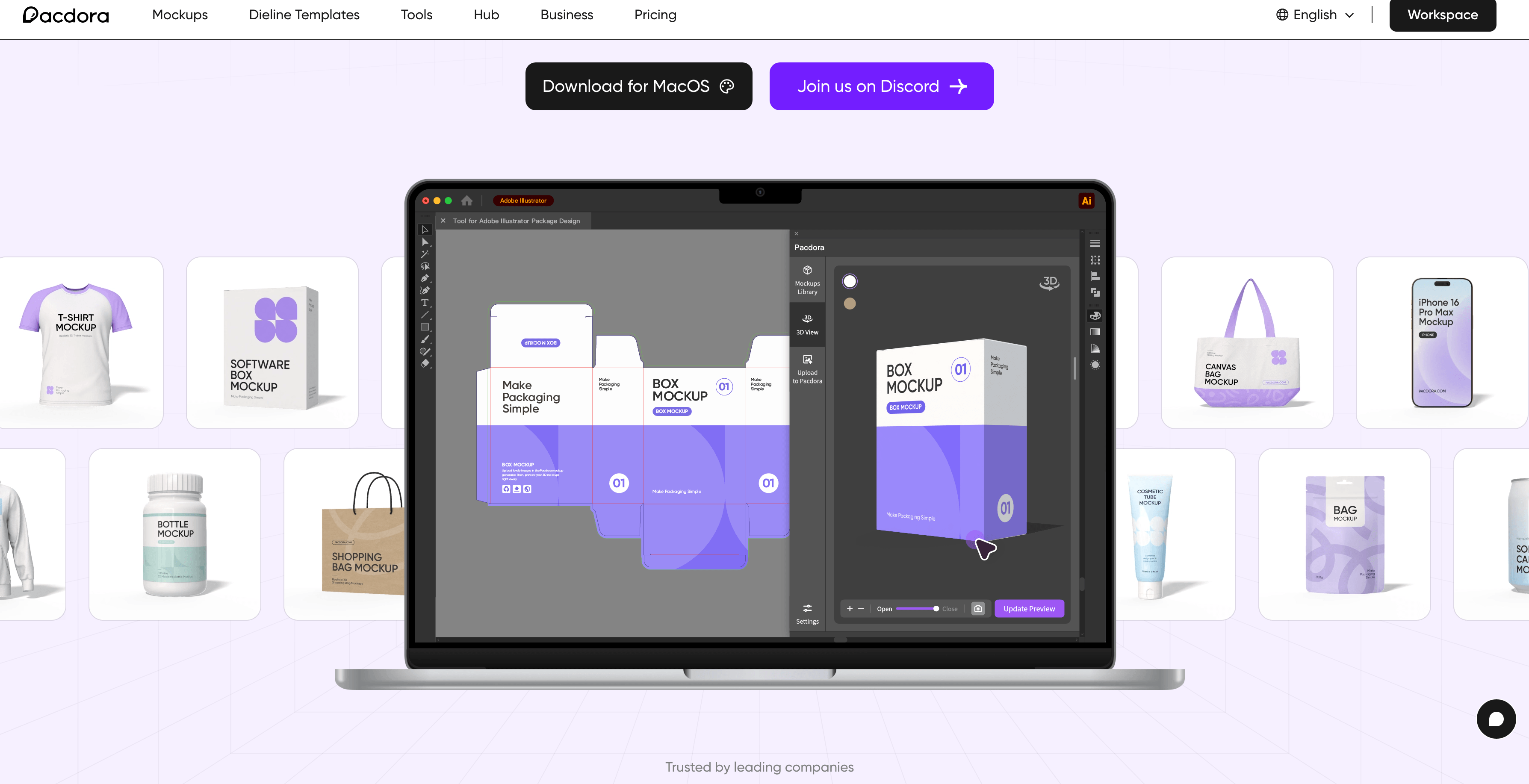
The Pacdora Illustrator Plugin is one of the most exciting updates I’ve seen in packaging design in recent years.
As a packaging designer, I’ve spent countless hours designing in 2D, exporting files, checking mockups, fixing issues, and repeating the process again and again. It works, but it’s slow and inefficient.
This new plugin changes that workflow completely.
If you want to strengthen your fundamentals alongside using modern tools like this, you can also read my guide on packaging design principles.
The Pacdora Illustrator Plugin connects your 2D packaging artwork directly with 3D visualization inside Adobe Illustrator.
This means you can design and preview your packaging in a much faster and more efficient way, without jumping between multiple tools.
Learn more here:
Packaging design always has a gap between 2D design and 3D reality. A design that looks perfect on a flat dieline may not work well when applied to an actual box or bottle.
This plugin reduces that gap significantly.
Instead of switching tools repeatedly, designers can now work more efficiently and make decisions faster.
You can visualize your packaging design in 3D while working inside Illustrator. This reduces guesswork and improves accuracy.
Access thousands of packaging structures and generate dielines quickly without manual setup.
Create professional packaging mockups with realistic lighting and materials, ideal for client presentations and portfolios.
If you want to learn workflows like this, check out my packaging design tutorials.
Sync your work with Pacdora’s cloud system for better collaboration and file management.
Pacdora is moving toward AI-assisted packaging design, helping designers create faster and smarter.
For more tools like this, you can explore my list of AI tools for designers.
If you are working with 3D product visuals, you may also like this 3D packaging model resource.
After years of working in packaging design, I can say this clearly: this plugin solves a real problem.
It reduces repetitive tasks and helps designers focus more on creativity instead of technical back-and-forth.
You can also explore some of my packaging design work to understand how presentation impacts final output.
You can browse more related insights in my Packaging Design section.
Try Pacdora using this link:
Use code PACK3D to get 20% OFF.
The Pacdora Illustrator Plugin is a major step forward in packaging design workflow.
It replaces slow, repetitive processes with a faster and more efficient system.
If you are serious about packaging design, this is definitely worth trying.
It is a tool that allows designers to create and preview 3D packaging designs directly inside Adobe Illustrator.
Yes, it provides high-quality mockups and packaging visualization tools.
Yes, Pacdora offers thousands of ready-to-use dielines and supports custom sizing.
You can use the code PACK3D to get 20% OFF.
We are excited to hear about your project and ready to help bring your ideas to life. Get in touch with us to discuss your vision and how we can assist you in achieving your goals. Let’s start your project together!